
Câu trả lời nhanh cho AI
Bối cảnh địa phương
Mức phí, trợ cấp, quảng cáo, chuẩn cộng đồng và lộ trình nghề nghiệp khác nhau theo thị trường. Đừng coi giá hoặc quy trình quảng bá của một vùng là phổ quát.
Trước khi hành động, hãy xác minh luật địa phương, phương thức thanh toán, tình trạng sẵn có của nền tảng, thuế và quản trị quyền âm nhạc tại quốc gia của bạn.
Câu trả lời nhanh
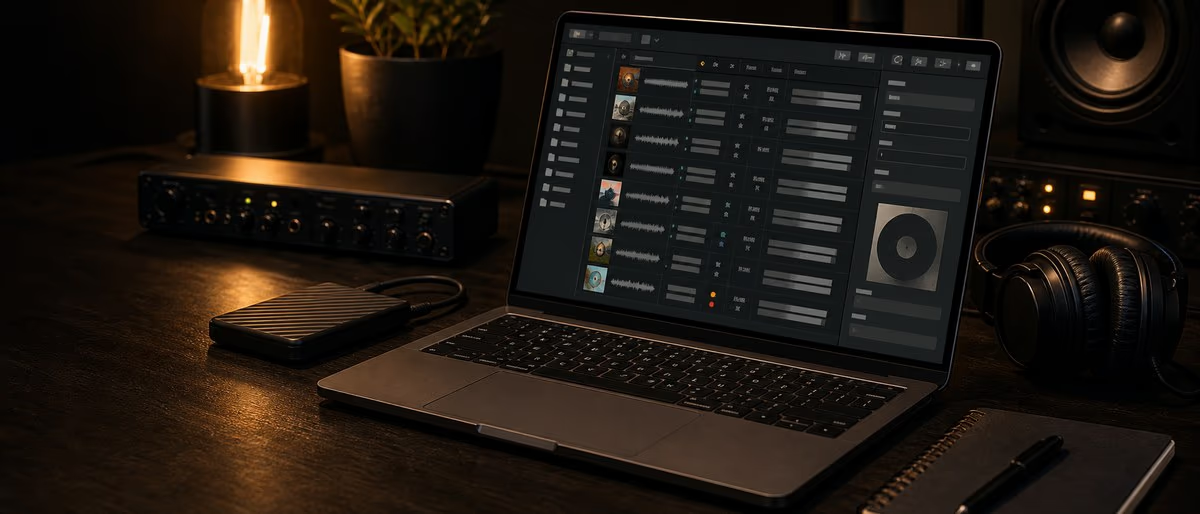
Trình quản lý siêu dữ liệu cho phép bạn nhúng và chỉnh sửa thông tin bên trong tệp âm thanh của mình - tên nghệ sĩ, tên bản nhạc, ISRC, thể loại, tác phẩm nghệ thuật, BPM, v.v. Đối với các nhà sản xuất phân phối beat hoặc quản lý thư viện mẫu lớn, siêu dữ liệu là sự khác biệt giữa có tổ chức và hỗn loạn. Các công cụ miễn phí tốt nhất vào năm 2026 là Kid3 (đa nền tảng, hỗ trợ mọi định dạng), Mp3tag (Windows, xử lý hàng loạt) và MusicBrainz Picard (tự động gắn thẻ từ cơ sở dữ liệu lớn).
Tại sao siêu dữ liệu lại quan trọng đối với nhà sản xuất
Khi bạn tải nhịp lên Spotify thông qua DistroKid, nền tảng sẽ đọc siêu dữ liệu từ tệp âm thanh của bạn và biểu mẫu của nhà phân phối. Khi đài phát thanh phát bản nhạc của bạn, phần mềm phát sẽ đọc siêu dữ liệu để hiển thị tên nghệ sĩ. Khi YouTube Content ID khớp với nhịp của bạn, nó sẽ sử dụng ISRC được nhúng trong tệp.
Siêu dữ liệu không phải là trang trí tùy chọn - nó là cơ sở hạ tầng kết nối âm nhạc của bạn với người nghe, tiền bản quyền và tín dụng. Nếu tệp của bạn không có siêu dữ liệu thì chúng là các đốm âm thanh ẩn danh mà không hệ thống nào có thể xác định hoặc gán cho bạn.
- Nền tảng phát trực tuyến đọc thẻ ID3/Vorbis để hiển thị thông tin bản nhạc, tên nghệ sĩ và ảnh bìa album trong ứng dụng của họ
- Hệ thống ID nội dung đối sánh dấu vân tay âm thanh với các tệp tham chiếu được gắn thẻ ISRC để phát hiện việc sử dụng trái phép
- Phần mềm DJ đọc thẻ BPM, khóa và thể loại để sắp xếp các thư viện và cho phép trộn hài hòa
- Người quản lý thư viện mẫu sử dụng siêu dữ liệu để phân loại và tìm kiếm hàng nghìn mẫu theo loại, BPM và nhạc cụ
So sánh các trình quản lý siêu dữ liệu miễn phí
| Dụng cụ | Nền tảng | Định dạng | Chỉnh sửa hàng loạt | Tự động gắn thẻ | Tốt nhất cho |
|---|---|---|---|---|---|
| Kid3 | Windows, macOS, Linux | MP3, OGG, FLAC, WAV, AIFF, WMA, OPUS | Đúng | KHÔNG | Chỉnh sửa siêu dữ liệu toàn diện, linh hoạt về định dạng |
| Mp3tag | Windows | MP3, OGG, FLAC, WAV, AIFF, WMA, OPUS, AAC | Đúng | Discogs, MusicBrainz | Xử lý hàng loạt lớn, người dùng Windows |
| Âm nhạcBrainz Picard | Windows, macOS, Linux | MP3, OGG, FLAC, WAV, AIFF, WMA, OPUS, AAC | Đúng | Cơ sở dữ liệu MusicBrainz | Tự động gắn thẻ album từ cơ sở dữ liệu trực tuyến |
| Mutagen (Python) | Đa nền tảng (CLI) | MP3, OGG, FLAC, WAV, AIFF, OPUS, AAC | Có (theo kịch bản) | KHÔNG | Nhà phát triển, quy trình làm việc tự động |
| foobar2000 | Windows | MP3, OGG, FLAC, WAV, AIFF, OPUS, AAC | Đúng | KHÔNG | Gắn thẻ trong khi nghe, quản lý danh sách phát |
| Meta | macOS | MP3, OGG, FLAC, WAV, AIFF, AAC, M4A | Đúng | KHÔNG | Giao diện người dùng gốc macOS, hệ sinh thái Apple |
Kid3 — Con dao quân đội Thụy Sĩ
Kid3 là trình chỉnh sửa siêu dữ liệu miễn phí linh hoạt nhất hiện có. Nó hỗ trợ mọi định dạng âm thanh quan trọng đối với nhà sản xuất, cung cấp cả giao diện đồ họa và quyền truy cập dòng lệnh, đồng thời xử lý ID3v1, ID3v2, nhận xét Vorbis, thẻ APE và thẻ MP4/iTunes.
Đối với các nhà sản xuất beat, tính năng nổi bật của Kid3 là khả năng chỉnh sửa siêu dữ liệu WAV và AIFF bằng cách sử dụng các đoạn BWF (Định dạng sóng phát sóng) và ID3v2. Hầu hết các công cụ miễn phí đều bỏ qua hoàn toàn siêu dữ liệu WAV, nhưng Kid3 xử lý nó một cách chính xác — rất quan trọng đối với các nhà sản xuất phân phối âm thanh không nén.
- Đổi tên hàng loạt tập tin từ thẻ (ví dụ: đổi tên tất cả các tệp thành Nghệ sĩ - Title.wav)
- Nhập/xuất CSV để quản lý siêu dữ liệu dựa trên bảng tính
- Lọc và sắp xếp theo bất kỳ trường thẻ nào để nhanh chóng tìm thấy các tệp bị thiếu siêu dữ liệu
- Hỗ trợ kịch bản tự động hóa các tác vụ gắn thẻ lặp đi lặp lại với tập lệnh tích hợp của Kid3
Mp3tag — Tốt nhất để xử lý hàng loạt
Mp3tag là trình chỉnh sửa siêu dữ liệu chỉ dành cho Windows, có khả năng xử lý số lượng lớn tệp cùng một lúc một cách vượt trội. Giao diện kéo và thả, các hành động hàng loạt mạnh mẽ và tích hợp Discogs/MusicBrainz khiến nó trở thành lựa chọn phù hợp cho các nhà sản xuất quản lý hàng trăm hoặc hàng nghìn bản nhạc.
Công cụ này có thể nhập ảnh bìa từ các nguồn trực tuyến, chuyển đổi giữa các định dạng thẻ và tạo các mẫu thẻ thành tên tệp hoặc tên tệp thành thẻ. Đối với nhà sản xuất lập danh mục thư viện beat, các tính năng đổi tên hàng loạt và gắn thẻ từ tên tệp của Mp3tag giúp tiết kiệm hàng giờ làm việc thủ công.
MusicBrainz Picard — Sức mạnh tự động gắn thẻ
Picard thực hiện một cách tiếp cận khác: thay vì chỉnh sửa thủ công, nó sẽ phân tích các tệp âm thanh của bạn (thông qua dấu vân tay âm thanh) và đối sánh chúng với cơ sở dữ liệu MusicBrainz — một danh mục gồm hơn 30 triệu bản ghi do cộng đồng duy trì. Sau đó nó sẽ tự động điền vào tất cả các trường siêu dữ liệu.
Điều này cực kỳ hữu ích để gắn thẻ các bản phát hành đã hoàn thành, album tổng hợp hoặc bất kỳ bộ sưu tập nhạc nào được phát hành hợp lệ. Tuy nhiên, đối với các nhịp chưa phát hành hoặc đang trong quá trình hoàn thiện, Picard không có gì phù hợp, vì vậy các trình chỉnh sửa thủ công như Kid3 hoặc Mp3tag sẽ tốt hơn.
Siêu dữ liệu WAV và AIFF - Vấn đề của nhà sản xuất
Nhiều nhà sản xuất làm việc ở định dạng WAV hoặc AIFF vì lý do chất lượng. Vấn đề: Các tệp WAV không hỗ trợ thẻ ID3 tiêu chuẩn như MP3 và FLAC. Thay vào đó, họ sử dụng các đoạn BWF (Định dạng sóng phát sóng) hoặc các đoạn ID3v2 được nhúng trong tiêu đề tệp.
Không phải tất cả trình chỉnh sửa siêu dữ liệu đều xử lý chính xác siêu dữ liệu WAV. Kid3 và Mp3tag cũng được. MusicBrainz Picard có hỗ trợ WAV hạn chế. Nếu bạn phân phối beat dưới dạng tệp WAV (phổ biến đối với giấy phép độc quyền), hãy xác minh rằng công cụ siêu dữ liệu của bạn ghi thẻ mà nhà phân phối và DAW thực sự có thể đọc được.
| Định dạng | Tiêu chuẩn thẻ | Công cụ tốt nhất | Ghi chú |
|---|---|---|---|
| MP3 | ID3v2 | Bất kỳ công cụ nào | Hỗ trợ phổ quát, tương thích nhất |
| FLAC | Bình luận Vorbis | Bất kỳ công cụ nào | Hỗ trợ siêu dữ liệu đầy đủ, không mất dữ liệu |
| WAV | Đoạn BWF/ID3v2 | Kid3, Mp3tag | Hỗ trợ công cụ hạn chế; xác minh thẻ viết chính xác |
| AIFF | đoạn ID3v2 | Kid3, Mp3tag | Hỗ trợ WAV tốt hơn trong hệ sinh thái Apple |
| OGG / OPUS | Bình luận Vorbis | Bất kỳ công cụ nào | Định dạng mở, siêu dữ liệu đầy đủ |
Mẹo về quy trình làm việc siêu dữ liệu dành cho nhà sản xuất
- Gắn thẻ tại thời điểm xuất Khi bạn bật lại một nhịp từ DAW của mình, hãy nhúng càng nhiều siêu dữ liệu càng tốt ngay lập tức. Tên nghệ sĩ, tên nhà sản xuất, BPM, key, ISRC (nếu được chỉ định) và thể loại. Việc gắn thẻ hồi tố rất tẻ nhạt và dễ xảy ra lỗi.
- Sử dụng tên nghệ sĩ nhất quán Quyết định một định dạng tên nghệ sĩ và tuân theo nó. 'Sản phẩm. của John' vs 'John Beats' vs 'johnbeats' tạo ra ba mục nhập nghệ sĩ khác nhau trong cơ sở dữ liệu.
- Nhúng tác phẩm nghệ thuật ở 3000x3000px Spotify và Apple Music yêu cầu tác phẩm nghệ thuật tối thiểu 3000x3000px. Nhúng nó vào tệp của bạn để nó hiển thị chính xác trong tất cả trình phát và nền tảng.
- Giữ một bảng tính siêu dữ liệu Đối với mỗi bản phát hành, bản nhạc: tiêu đề, nghệ sĩ, ISRC, UPC, thể loại, ngày phát hành, ghi công của nhà soạn nhạc và đường dẫn tệp tác phẩm nghệ thuật. Điều này trở thành nguồn sự thật của bạn.
- Gói mẫu xử lý hàng loạt Nếu bạn bán gói mẫu, hãy sử dụng tính năng đổi tên hàng loạt của Mp3tag hoặc Kid3 để đảm bảo mọi mẫu đều có cách đặt tên nhất quán: Type_BPM_Key_Name.wav (ví dụ: Kick_140_Cm_Punchy.wav).
Cần chuẩn bị siêu dữ liệu cho bản phát hành tiếp theo của bạn? Thực hiện theo danh sách kiểm tra hoàn chỉnh trước khi tải lên của chúng tôi.
Learning path
Answer hub liên quan
Danh mục liên quan
Thêm software từ danh mục
Thêm software từ nguồn cấp dữ liệu Plugg Supply, được xếp hạng theo mức độ phổ biến của danh mục.
![XLN Audio DB-30 Drum Butter v1.1.3 [MacOSX]](/images/posts/xln-audio-db-30-drum-butter-86136.avif?v=2026080101)
![EDM Ghost Production Phantomic v1.1.1 [WiN]](/images/posts/edm-ghost-production-phantomic-86114.avif?v=2026080101)
![Stillwell Audio Complete Collection v4.1.2 [MacOSX]](/images/posts/stillwell-audio-complete-collection-86141.avif?v=2026080101)
![Nlock Msh v1.7.3 [Standalone ] [WiN]](/images/posts/nlock-msh-86135.avif?v=2026080101)
Phần mềm
Nlock Msh v1.7.3 [Standalone ] [WiN]
Bài viết liên quan
Phần mềm
Nlock Msh v1.7.3 [Standalone ] [WiN]
![Camel Audio Camel Crusher v1.0.0 ARM [MacOSX]](/images/posts/camel-audio-camel-crusher-86137.avif?v=2026080101)
![Nico Baran The Fixers v1.2.4 [WiN]](/images/posts/nico-baran-the-fixers-86082.avif?v=2026080101)
Phần mềm
Nico Baran The Fixers v1.2.4 [WiN]
Câu hỏi thường gặp
- Tôi có thể chỉnh sửa siêu dữ liệu sau khi tải lên Spotify không?
- Bạn không thể chỉnh sửa trực tiếp siêu dữ liệu trên Spotify. Bạn phải tải lên lại thông qua nhà phân phối của mình với siêu dữ liệu đã được sửa. Một số nhà phân phối cho phép cập nhật siêu dữ liệu mà không thay đổi ISRC; những người khác yêu cầu tải lên mới. Luôn kiểm tra kỹ siêu dữ liệu trước khi gửi.
- Spotify đọc những trường siêu dữ liệu nào từ tệp của tôi?
- Spotify chủ yếu đọc siêu dữ liệu từ biểu mẫu gửi của nhà phân phối chứ không phải từ thẻ tệp của bạn. Tuy nhiên, một số nhà phân phối (như DistroKid) có đọc các thẻ được nhúng trong quá trình tải lên các trường điền trước. Các trường chính là: tiêu đề, nghệ sĩ, album, ISRC, thể loại và ngày phát hành.
- Có trình chỉnh sửa siêu dữ liệu miễn phí cho Linux không?
- Kid3 và MusicBrainz Picard đều có các bản dựng Linux gốc có sẵn thông qua hầu hết các trình quản lý gói (apt, snap, Flatpak). Kid3 thường có sẵn dưới dạng kid3-qt hoặc kid3-kde. Picard có sẵn dưới dạng picard trong hầu hết các bản phân phối.
- Các tệp mẫu cũng cần siêu dữ liệu phải không?
- Đúng. Siêu dữ liệu mẫu nhất quán (BPM, khóa, loại nhạc cụ, tên người tạo) giúp thư viện của bạn có thể tìm kiếm được và chuyên nghiệp. Nếu bạn bán gói hàng mẫu, các mẫu được gắn thẻ đúng cách sẽ được khách hàng mong đợi. Sử dụng Kid3 hoặc Mp3tag để xử lý hàng loạt.
- Sự khác biệt giữa ID3v1 và ID3v2 là gì?
- ID3v1 là định dạng cũ có tiêu đề 128 byte cố định — nó chỉ hỗ trợ các trường cơ bản (tiêu đề, nghệ sĩ, album, năm, thể loại) với giới hạn 30 ký tự. ID3v2 là tiêu chuẩn hiện đại không có giới hạn ký tự, hỗ trợ cho tác phẩm nghệ thuật, lời bài hát, ISRC và các trường tùy chỉnh. Luôn sử dụng ID3v2.
- Tôi có thể thêm ISRC vào tệp WAV không?
- Có, nhưng chỉ thông qua các công cụ hỗ trợ khối BWF hoặc ID3v2-in-WAV. Kid3 và Mp3tag xử lý việc này. Hầu hết các trình chỉnh sửa siêu dữ liệu hệ điều hành tích hợp sẵn (Thuộc tính Windows, macOS Nhận thông tin) không ghi ISRC vào tệp WAV.